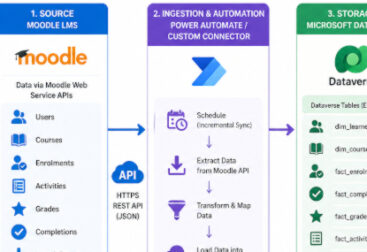
Moodle, a widely used Learning Management System (LMS), offers robust features for managing courses, tracking learner progress, and facilitating communication. One of its standout features is the ability to generate detailed reports. However, while Moodle offers pre-built reports, custom reports can often provide more detailed insights tailored to specific needs. This is where SQL knowledge comes in handy.
SQL (Structured Query Language) allows users to query the Moodle database directly and create customized reports, offering flexibility in how data is extracted, presented, and analyzed. Whether you’re a Moodle administrator, a data analyst, or a developer, understanding SQL can significantly enhance your ability to generate insightful, custom reports.
Key SQL Queries for Moodle Reports
Student Enrollment Information
If you want to track which students are enrolled in a particular course, you can use a query to join tables like mdl_user, mdl_enrol, and mdl_course
SELECT u.firstname, u.lastname, c.fullname, e.enrolment_time
FROM mdl_user u
JOIN mdl_enrol e ON e.userid = u.id JOIN mdl_course c ON e.courseid = c.id
WHERE c.id = [course_id];This query will return a list of students (by first and last name) enrolled in a specific course, along with their enrollment times.
Course Completion Reports
Tracking course completion is vital for many educational institutions. To generate a report on course completion for all students, you might query the mdl_course_completions
SELECT u.firstname, u.lastname, c.fullname, cc.timecompleted
FROM mdl_course_completions cc
JOIN mdl_user u ON cc.userid = u.id JOIN mdl_course c ON cc.course = c.id
WHERE cc.timecompleted IS NOT NULLThis query pulls a list of students who have completed courses, showing their names, course titles, and completion times.
Activity Completion Status
If you want to track completion for specific activities, such as assignments or quizzes, you can query the mdl_user_completion table
SELECT u.firstname, u.lastname, a.name, uc.timecompleted
FROM mdl_user_completion uc JOIN mdl_user u ON uc.userid = u.id JOIN mdl_activity_modules a ON uc.cmid = a.id
WHERE uc.timecompleted IS NOT NULL; This query helps you track whether students have completed specific activities and when.
How to query data
The Configurable Reports module in Moodle is a powerful tool that allows administrators and teachers to create customized reports based on the data in the Moodle database. This module helps to gather and display reports for student performance, course completion, activity tracking, and more. However, to make the most out of it and ensure optimal performance, there are a few best practices you should follow when using the Configurable Reports module.
Best Practices for Querying Moodle Data
Use the Moodle API: While SQL queries are powerful, consider using Moodle’s API if you’re developing a plugin or integrating with other systems. The API abstracts database interactions and provides additional safety measures.
Know Your Database Schema: Moodle’s database schema can be complex, so it’s important to familiarize yourself with the structure. Documentation and the Moodle Data Dictionary are great resources.
Performance: Running complex queries on a large Moodle database can slow down the system. Optimize your queries by using proper indexing and limiting the scope (e.g., pulling data for a specific time period or a small group of students).